Kioku
A local-first desktop study app for flashcards, quizzes, and soon notes. Quick to create and fully import/exportable as plain files (JSON and markdown), studied offline. Syntax highlighting for 50+ languages. Built with Tauri, React, and SQLite.

Kioku (記憶, Japanese for memory) is a local-first desktop study app for flashcards, quizzes, and soon notes, all quick to create, fully import/exportable as plain files, and studied entirely offline.
Why I built it
After college I got the itch to learn a language. I'd only ever taken Spanish, and that was long gone by this point. I wanted something more interesting and challenging, ideally with a practical payoff, since I actually want to use the language when I travel. Japanese was an easy call: alongside computer science I minored in history, and most of my history classes were on East Asia, the modern history of China and Japan especially. I'm a sucker for that era of the region: the rise of companies like Nintendo and Chumby, a century of engineering, the whole aesthetic. So, Japanese it was.
Then I sat down to study and hit a wall. Making flashcards is a pain in the ass, and if you're like me, you like things neat. I can't stand messy cards: crooked cuts from trying to get two cards out of one index card, a whole sentence I have to redo because I fumbled a word in Sharpie. And it wasn't just cards. The lessons, the study plans, the quizzes, every way I wanted to study was busywork standing between me and any real learning. So if it's not going to be physical cards, it's digital. But I looked at the other apps and didn't want to buy into someone else's system: no room to expand it, no syntax highlighting for code, no text-to-speech the way I wanted. That's about when I said, "screw it, I can make it better."
The ideas that make Kioku different
One place, easy data
Kioku is meant to be one stop for all of it: cards, notes, quizzes, and lessons. My main rule is easy data: everything lives in a common, transferable format. Notes are markdown, so if I want to write some and drag them into Obsidian, that's trivial. Cards and quizzes are JSON, about the friendliest format there is from both a code and an AI standpoint.
Bring your own AI
That format choice is also what makes content fast to make. Kioku has no AI built in, and it doesn't need any. Take the schema to ChatGPT, Claude, or whatever you use, and have it spit out a deck, a quiz, or a set of notes. I made that part easy: the schema sits right in the help page, ready to copy. And it goes both ways: export anything, hand it back to an AI to clean up, reimport it. The whole loop is fluid, and it doesn't lock you into one model or one company's idea of how you should study.
Here's one of those generated decks, greetings from Genki I, ready to import:
{
  "name": "Genki - Greetings & Common Expressions",
  "shuffleCards": true,
  "cards": [
    {
      "front": "Good morning (polite)",
      "back": "おはようございます\n(Ohayou gozaimasu)",
      "notes": "Used until around 10-11 AM. Casual form: おはよう",
      "tags": ["greetings", "polite", "morning"]
    },
    {
      "front": "Nice to meet you",
      "back": "はじめまして\n(Hajimemashite)",
      "notes": "Said when meeting someone for the first time",
      "tags": ["greetings", "introduction"]
    }
  ]
}
Quizzes are the same idea: a questions array of multiple_choice and fill_in_blank items, each
with its own explanation, so a whole study set is one readable file.
Goals and progress
I also wanted to set goals and actually see where I'm tracking. Kioku records how long I study, how many cards I've gone through, which quizzes I pass, and what I got wrong. That's useful now because I can shape the data myself, but it's really the groundwork for what's next: adaptive learning that puts the stuff you're worst at in front of you more often. And it should all connect: the quizzes working with the cards and the lessons, so it's one cohesive thing instead of a pile of separate features.
What it does
Flashcards that love code
A deck is text or code, and code gets the real treatment: VS Code's syntax highlighting for 50+ languages. I added that for a slightly self-indulgent reason: Kioku's own desktop backend is written in Rust, and I wanted to study Rust in the app I was building it with. A card on an ownership rule looks like Rust, not a paragraph. Flip with a click, tap, spacebar, or the arrow keys; shuffle it up; or turn on the listen mode and let a deck read itself back to you. Tag and filter your cards, search a deck, and drill just the subset you keep missing.
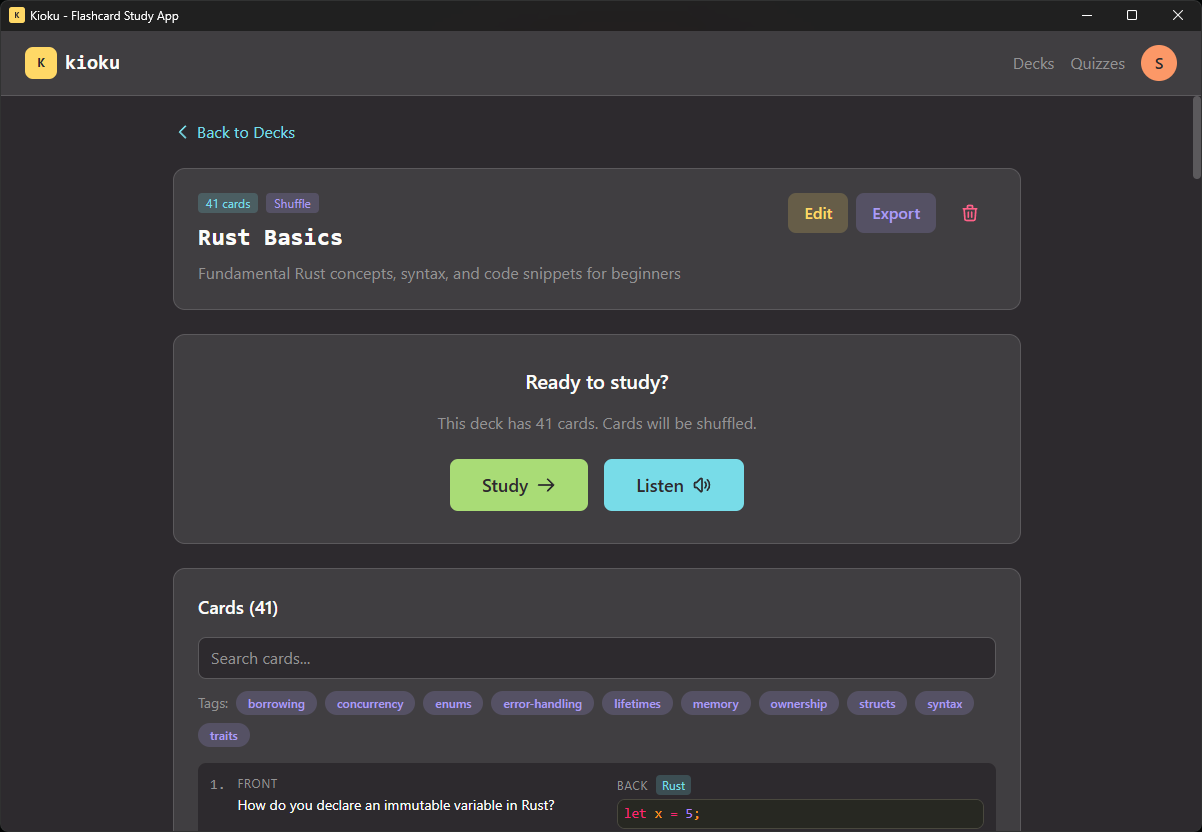 Deck view listing its cards
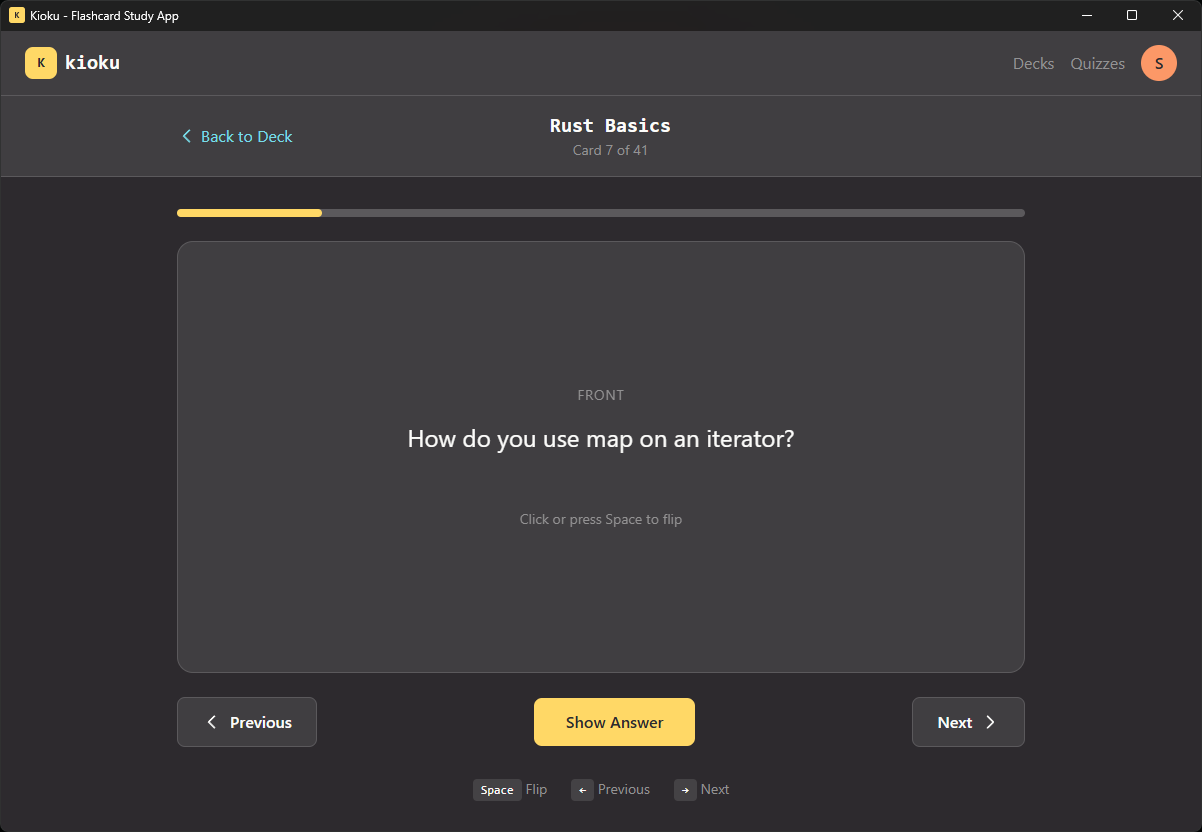 Studying a card, the front
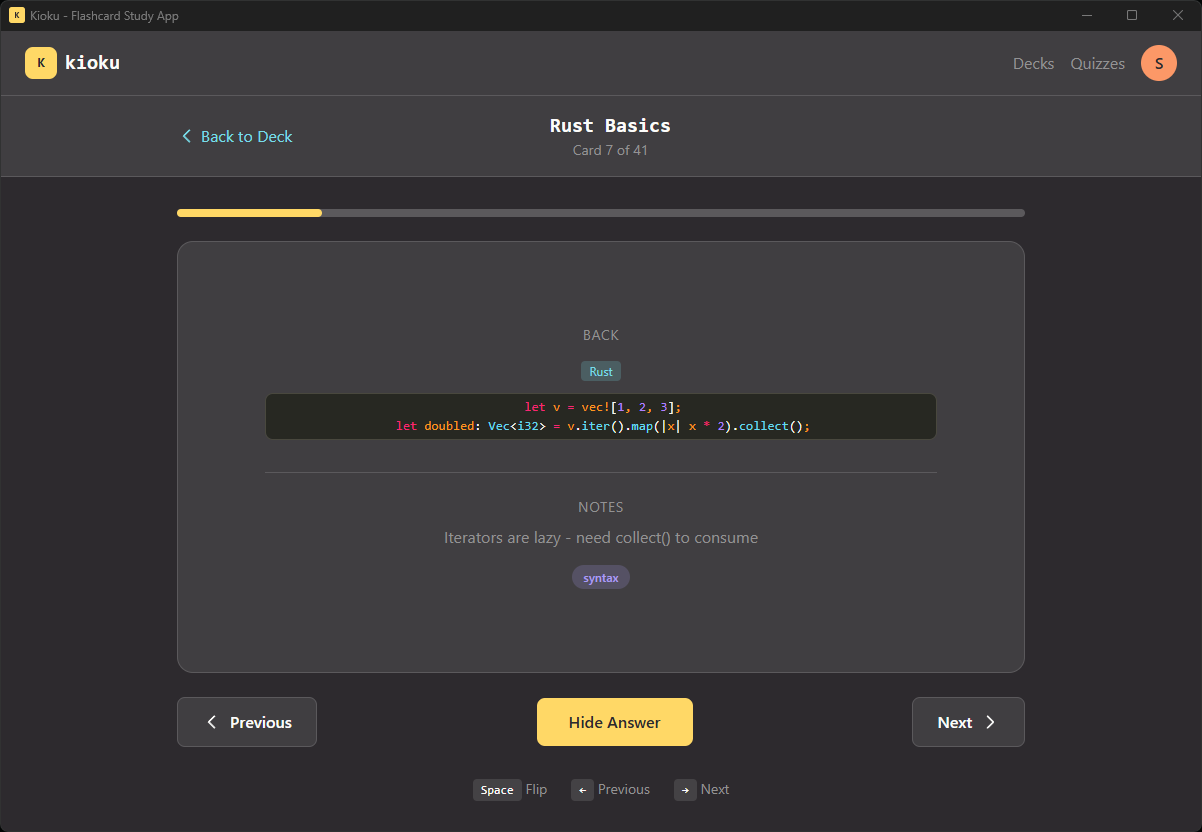 Studying a card, the back, with highlighted code
Quizzes
Cards are good for recognizing an answer; quizzes make you actually produce it. Multiple-choice and fill-in-the-blank, including questions with more than one right answer, each with an explanation and a spot in your history, so you can see what's sticking and what keeps slipping.
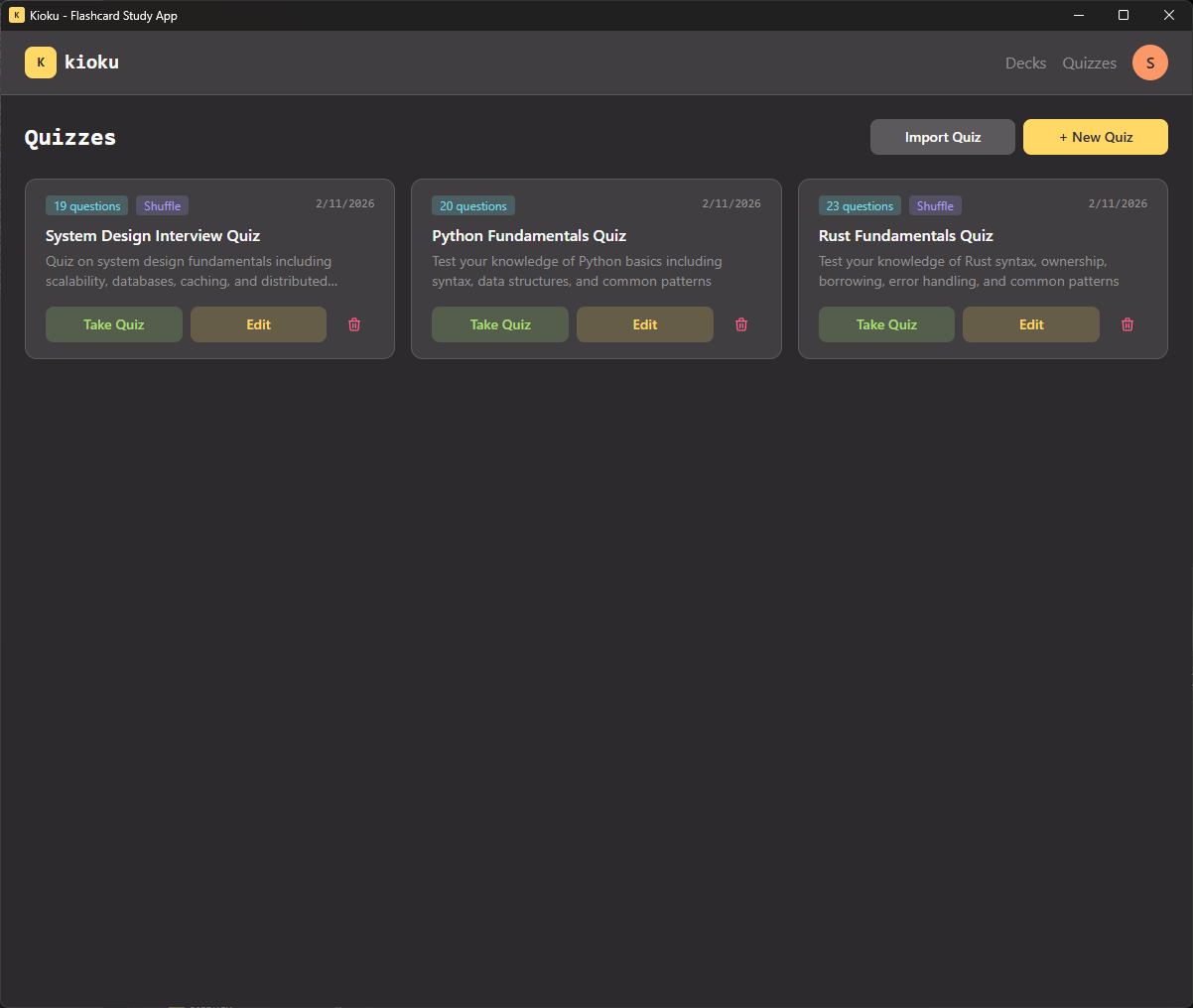 Quizzes dashboard
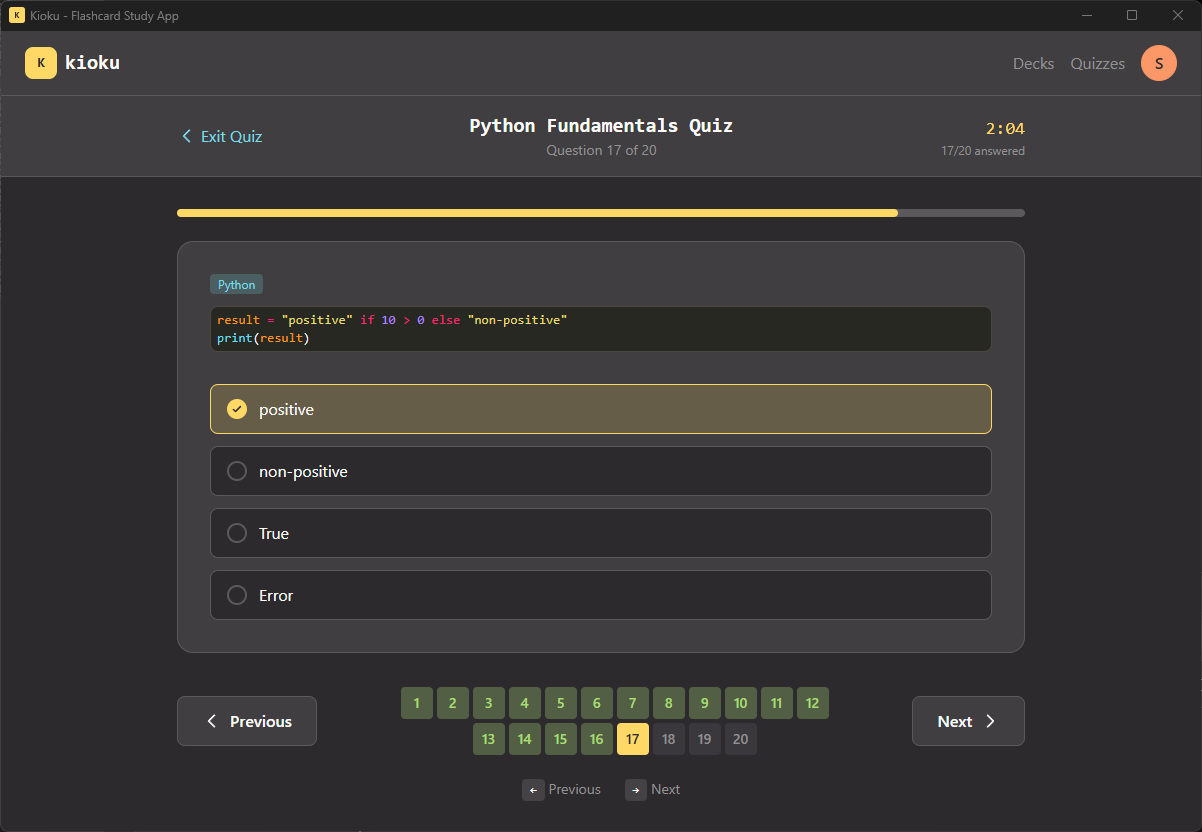 Answering a quiz question
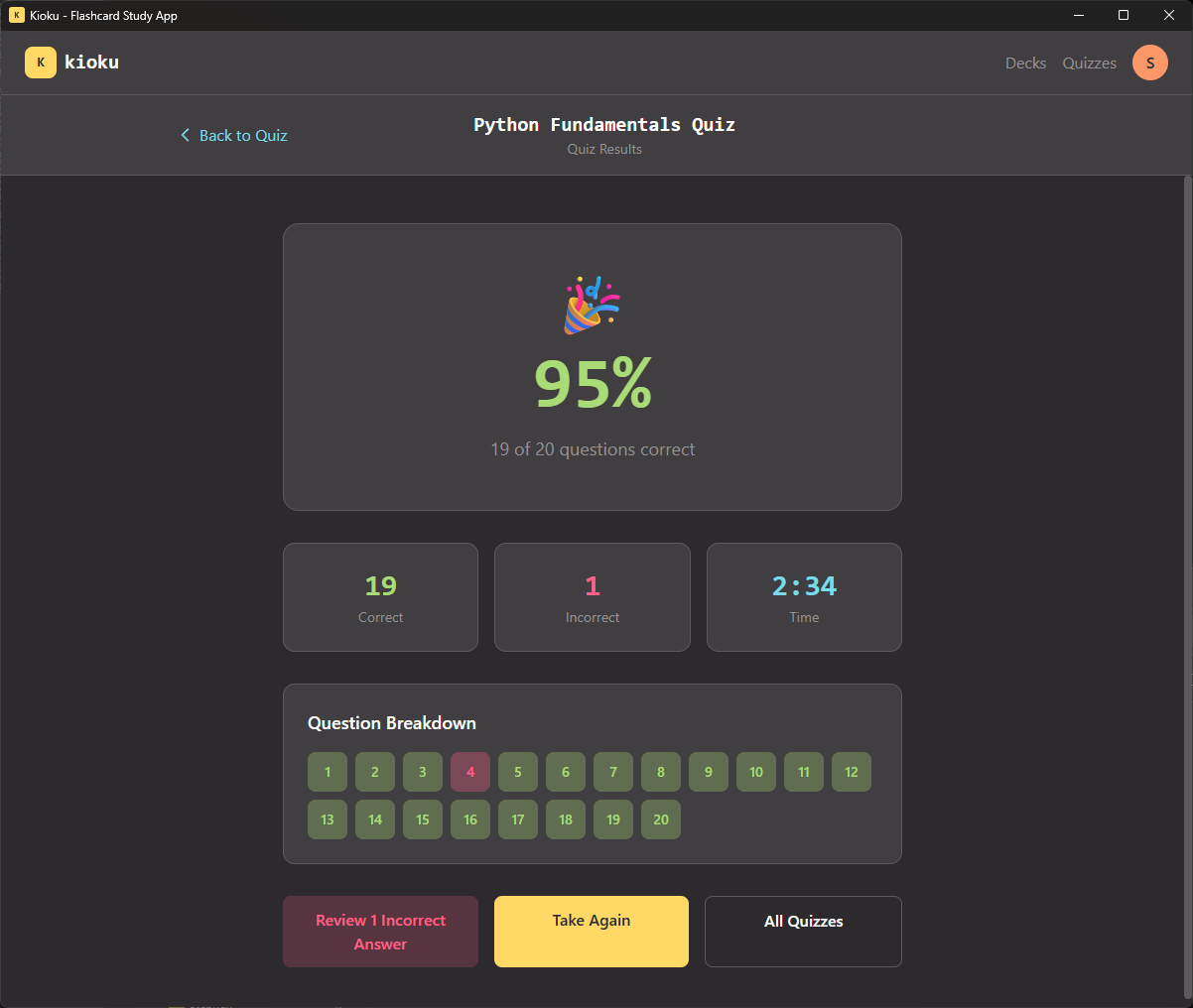 Quiz results summary
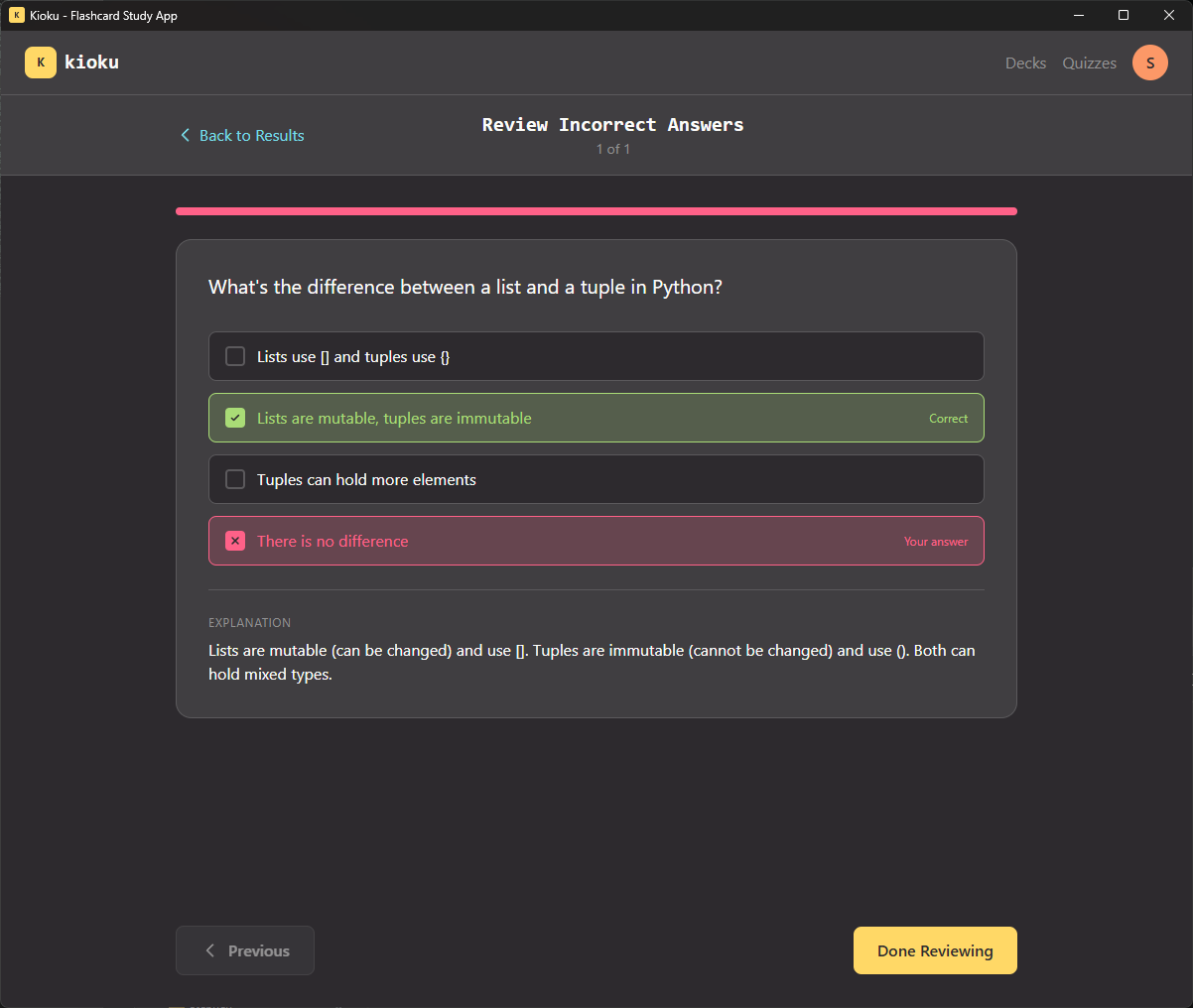 Reviewing an incorrect answer with its explanation
Under the hood
Kioku started as a web app, but I took it local-first with a full desktop version built on Tauri: a React front end over a Rust core, compiled to a small native binary for Windows, macOS, and Linux, with a real SQLite database (via rusqlite) sitting on disk.
Local-first isn't just about privacy. It changes how the app feels: no spinner on launch, no "you're offline," no account wall between you and a five-minute session. Your whole library is one SQLite file; back it up by copying it.
Does it actually work?
It's not a demo I built and walked away from. I use it constantly. I've made dozens of decks: Japanese, Rust, Python, RHCSA, plain CS fundamentals. It's earned a real spot in both my studying and my professional prep, which is about the only endorsement a study tool needs.
It's also turned out more general than I planned. A friend's kid is studying for her learner's permit, so I generated her a set of practice tests to drill. Same app, totally different subject. Which is exactly why images are on the list: a permit test without road signs is only half a test.
Roadmap
Where it stands today, and where it's headed next.
- Flashcards with syntax highlighting for 50+ languages
- Quizzes with explanations and an answer history
- Local-first desktop app on Tauri, for Windows, macOS, and Linux
- Import and export as plain files: JSON decks, markdown notes
- Bring-your-own-AI content, no model baked in
- Goals and progress tracking
- Notes: markdown that lives alongside the cards it came from
- Study anywhere, with Git-style sync and you deciding which cards win a conflict
- Images on cards: kanji, diagrams, road signs
- Adaptive learning that surfaces your weak spots more often
Tech stack
| Layer | Technology | Role |
|---|---|---|
| Frontend | React 19, TypeScript, Tailwind v4 | The UI: components in TypeScript, styled with Tailwind |
| Desktop | Tauri 2 (Rust) | Packages the app as a native desktop binary |
| Database | SQLite via rusqlite | The on-disk store for every deck, card, and stat |
| Code editor | VS Code | Renders and highlights code on the cards |
| Routing | React Router v7 | Navigation between the app's screens |