Lumina
A powerful C++ application framework for building 2D/3D graphics applications with advanced rendering and physics
Lumina
Lumina is a comprehensive C++ application framework designed for building high-performance 2D and 3D graphics applications. Built upon the foundation of Walnut by TheCherno, Lumina extends the concept with a sophisticated custom OpenGL wrapper, advanced lighting systems, and integrated physics simulation using Box2D.
🌟 Key Features
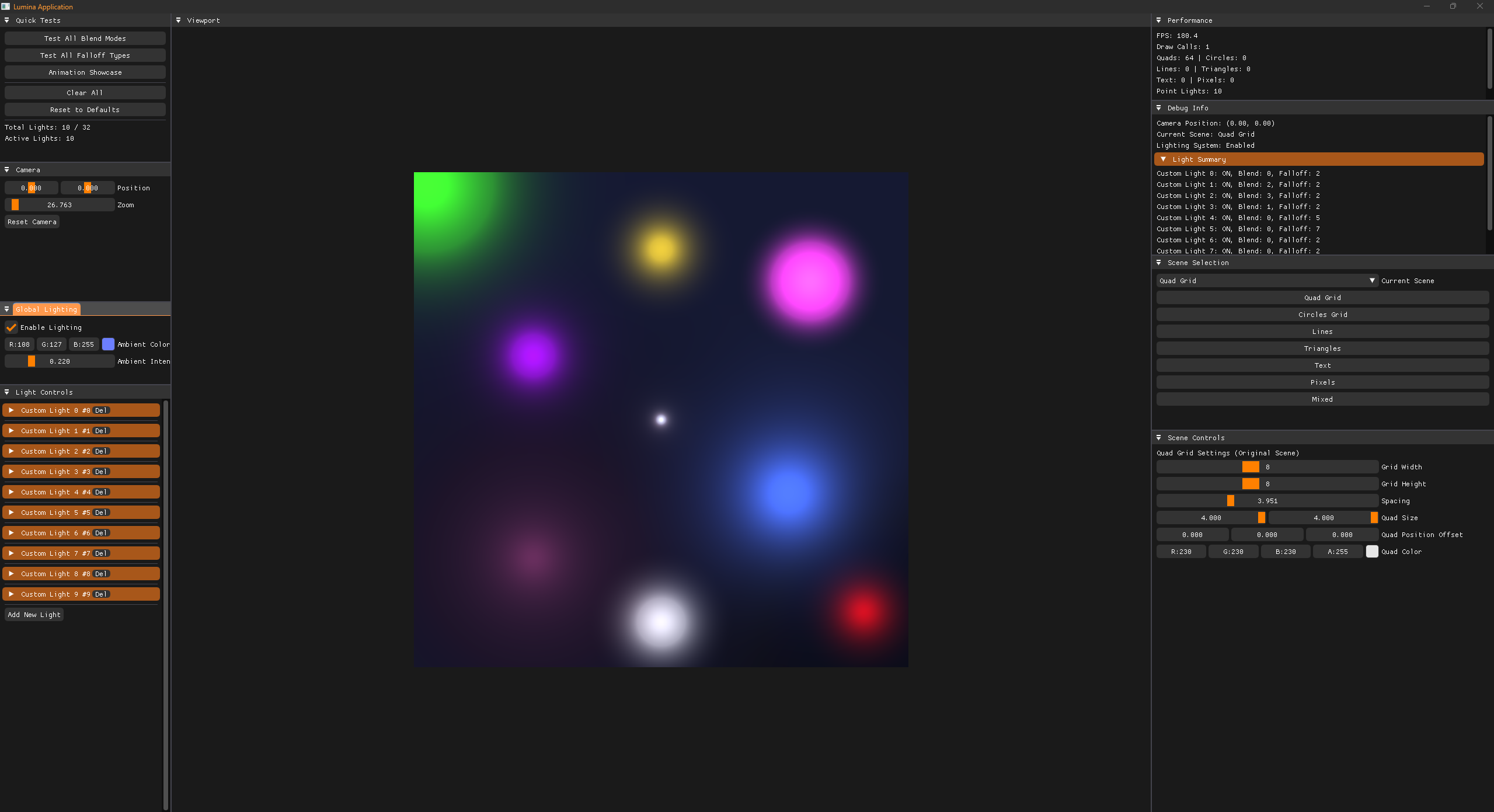
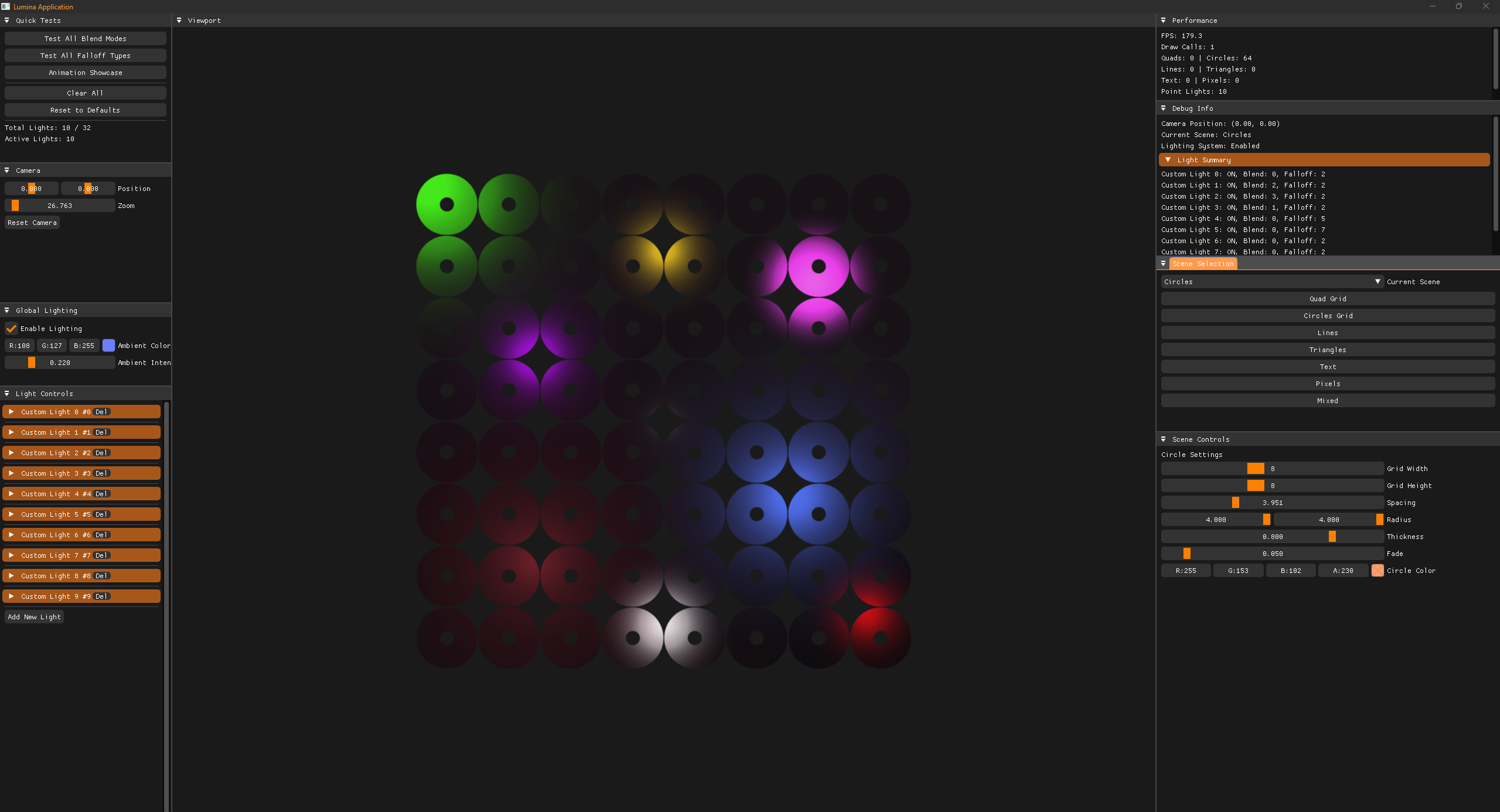
Advanced 2D Renderer
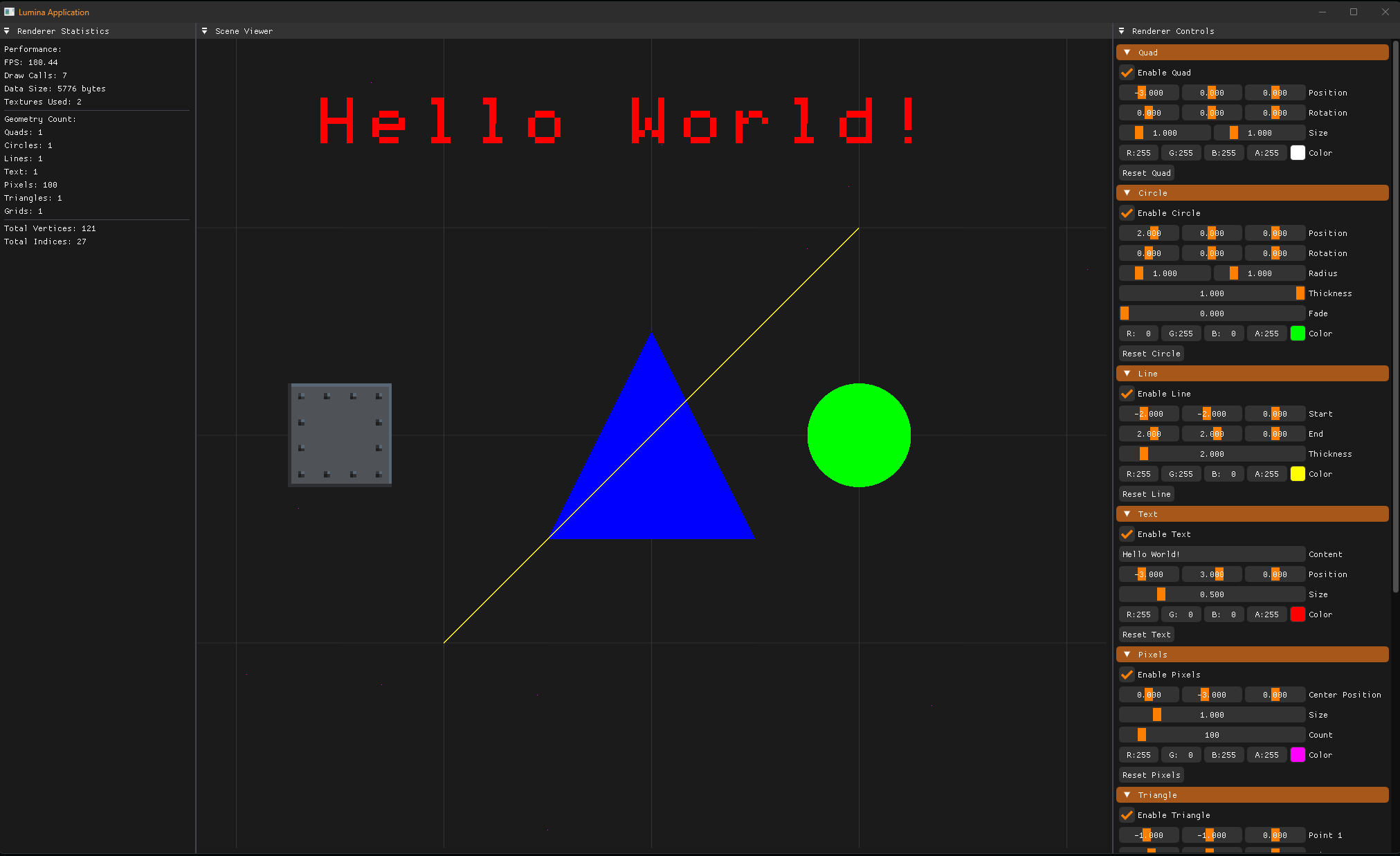
Lumina features a powerful 2D renderer with support for:
- Batch rendering for optimal performance
- Texture atlasing and multi-texture support
- Advanced blend modes (Additive, Multiply, Screen, Overlay, Soft Light, and more)
- Flexible geometry rendering (quads, circles, lines)
// Simple 2D rendering with Lumina
Renderer2D::Begin(camera);

// Set up a textured quad with custom properties
Renderer2D::SetQuadPosition({0.0f, 0.0f, 0.0f});
Renderer2D::SetQuadSize({2.0f, 2.0f});
Renderer2D::SetQuadTintColor({1.0f, 0.8f, 0.6f, 1.0f});
Renderer2D::SetQuadTexture(myTexture);
Renderer2D::DrawQuad();

// Render a circle with custom properties
Renderer2D::SetCirclePosition({5.0f, 0.0f, 0.0f});
Renderer2D::SetCircleRadius({1.5f, 1.5f});
Renderer2D::SetCircleColor({0.2f, 0.8f, 1.0f, 1.0f});
Renderer2D::DrawCircle();

Renderer2D::End();
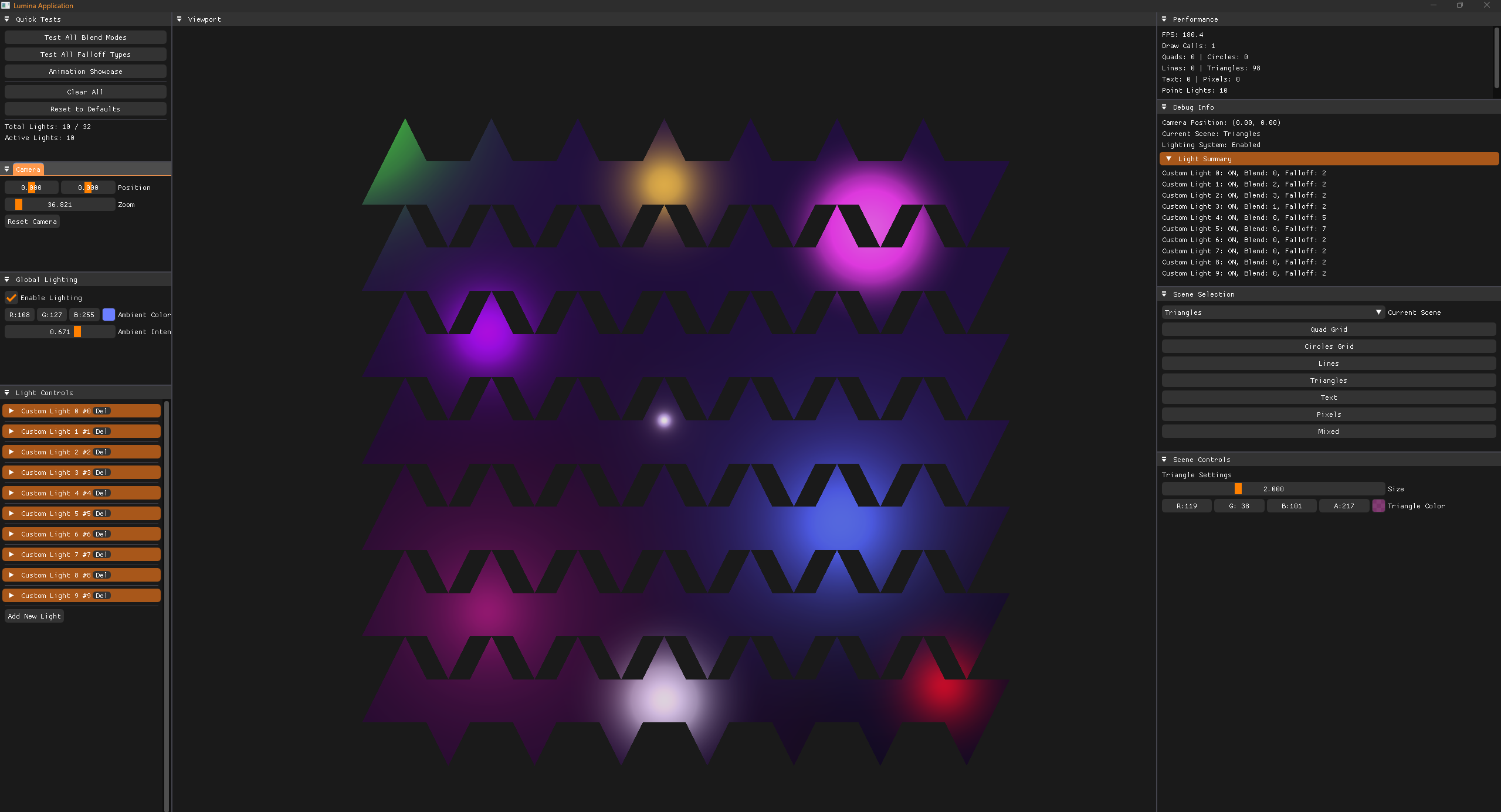
Sophisticated Lighting System
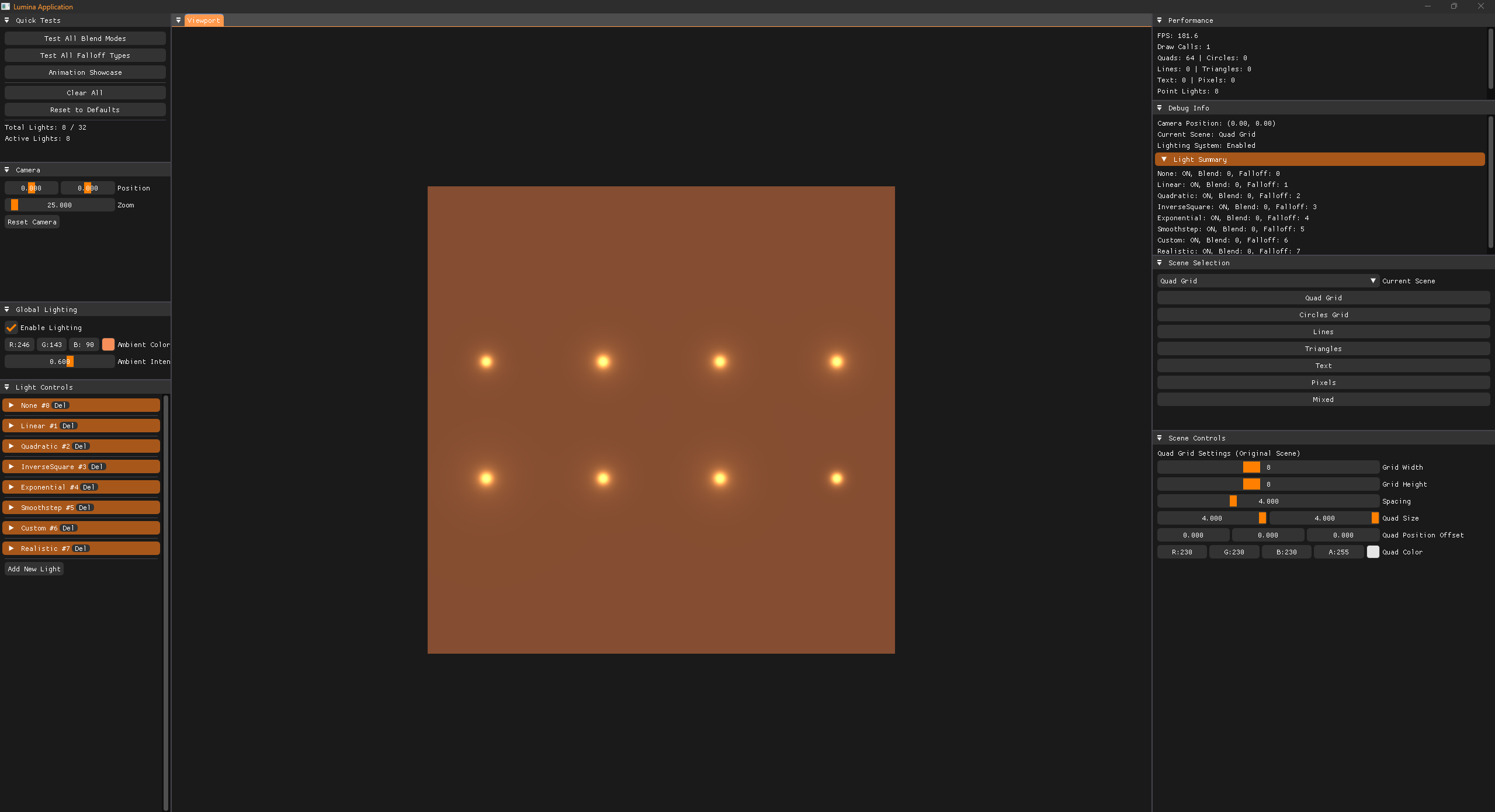
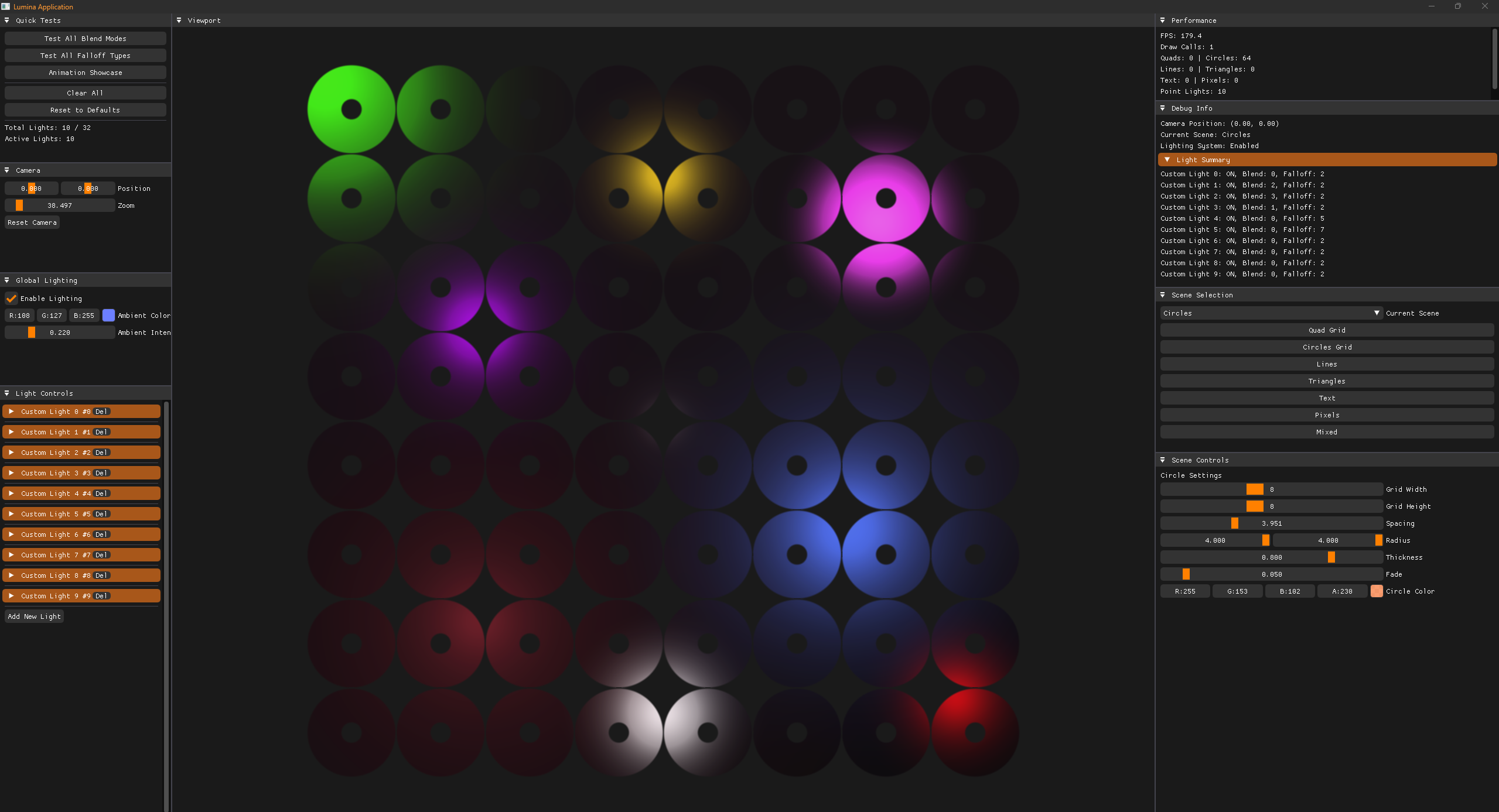
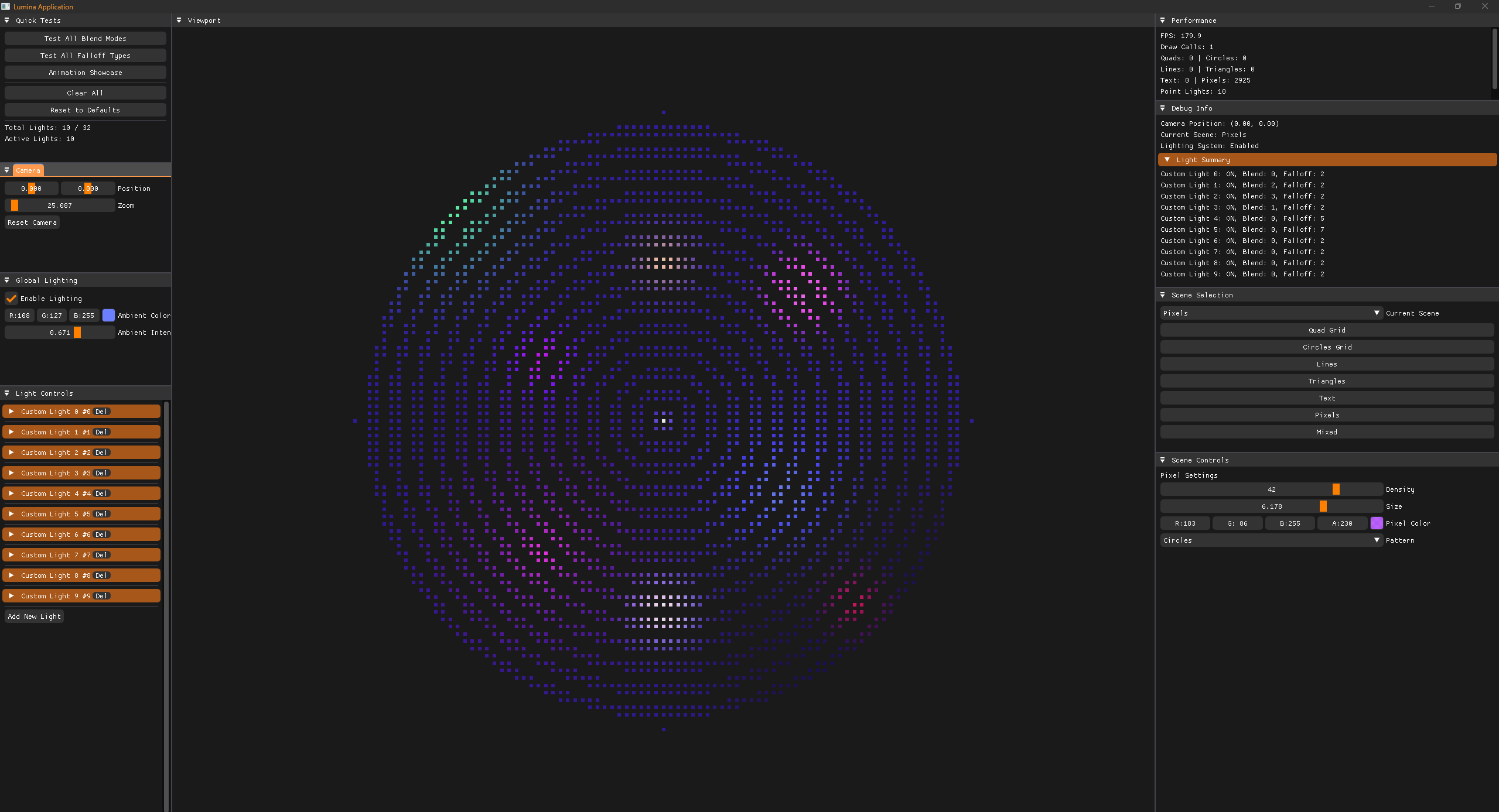
One of Lumina's standout features is its advanced lighting system with multiple falloff types and blend modes:
// Point light with custom falloff and blending
struct PointLight
{
    glm::vec3 Position = {0.0f, 0.0f, 0.0f};
    glm::vec3 Color = {1.0f, 0.8f, 0.6f};
    float Intensity = 2.0f;
    float Radius = 10.0f;
    int BlendingMode = BLEND_SOFTLIGHT;
    float BlendAlpha = 0.8f;
    int FalloffType = FALLOFF_SMOOTHSTEP;
    float Falloff = 2.0f;
};
Supported Falloff Types:
- Linear, Quadratic, Inverse Square
- Exponential, Smoothstep, Custom
- Realistic (physically-based attenuation)
Blend Modes Available:
- Additive, Multiply, Screen
- Overlay, Soft Light, Linear Burn
- Color Dodge, Subtract, Alpha
Integrated Physics Simulation
Lumina includes seamless Box2D integration for realistic physics simulation:
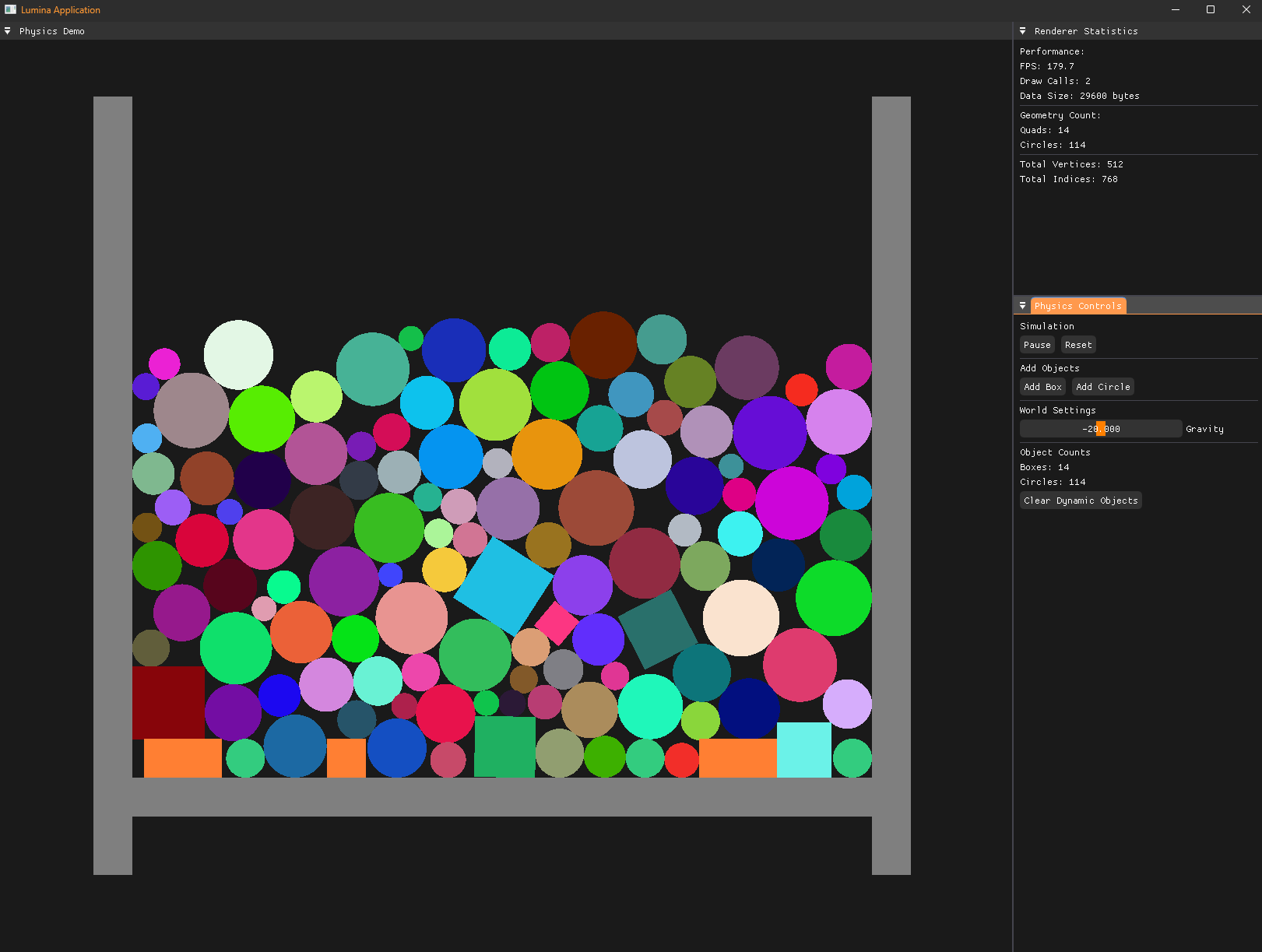
class PhysicsQuad
{
public:
    PhysicsQuad(b2WorldId worldId, glm::vec2 position, glm::vec2 size, bool isStatic = false)
        : size(size), color(1.0f, 0.5f, 0.2f, 1.0f)
    {
        // Create physics body
        b2BodyDef bodyDef = b2DefaultBodyDef();
        bodyDef.type = isStatic ? b2_staticBody : b2_dynamicBody;
        bodyDef.position = {position.x, position.y};

        bodyId = b2CreateBody(worldId, &bodyDef);

        // Create collision shape
        b2Polygon boxShape = b2MakeBox(size.x * 0.5f, size.y * 0.5f);
        b2ShapeDef shapeDef = b2DefaultShapeDef();
        shapeDef.density = 1.0f;
        shapeDef.material.friction = 0.3f;
        shapeDef.material.restitution = 0.6f;

        b2CreatePolygonShape(bodyId, &shapeDef, &boxShape);
    }

    void Render()
    {
        // Get physics transform and render
        b2Vec2 position = b2Body_GetPosition(bodyId);
        b2Rot rotation = b2Body_GetRotation(bodyId);
        float angle = b2Rot_GetAngle(rotation);

        Renderer2D::SetQuadPosition({position.x, position.y, 0.0f});
        Renderer2D::SetQuadRotation({0.0f, 0.0f, glm::degrees(angle)});
        Renderer2D::SetQuadSize(size);
        Renderer2D::DrawQuad();
    }
};
Flexible 3D Rendering
The 3D renderer supports modern graphics techniques:
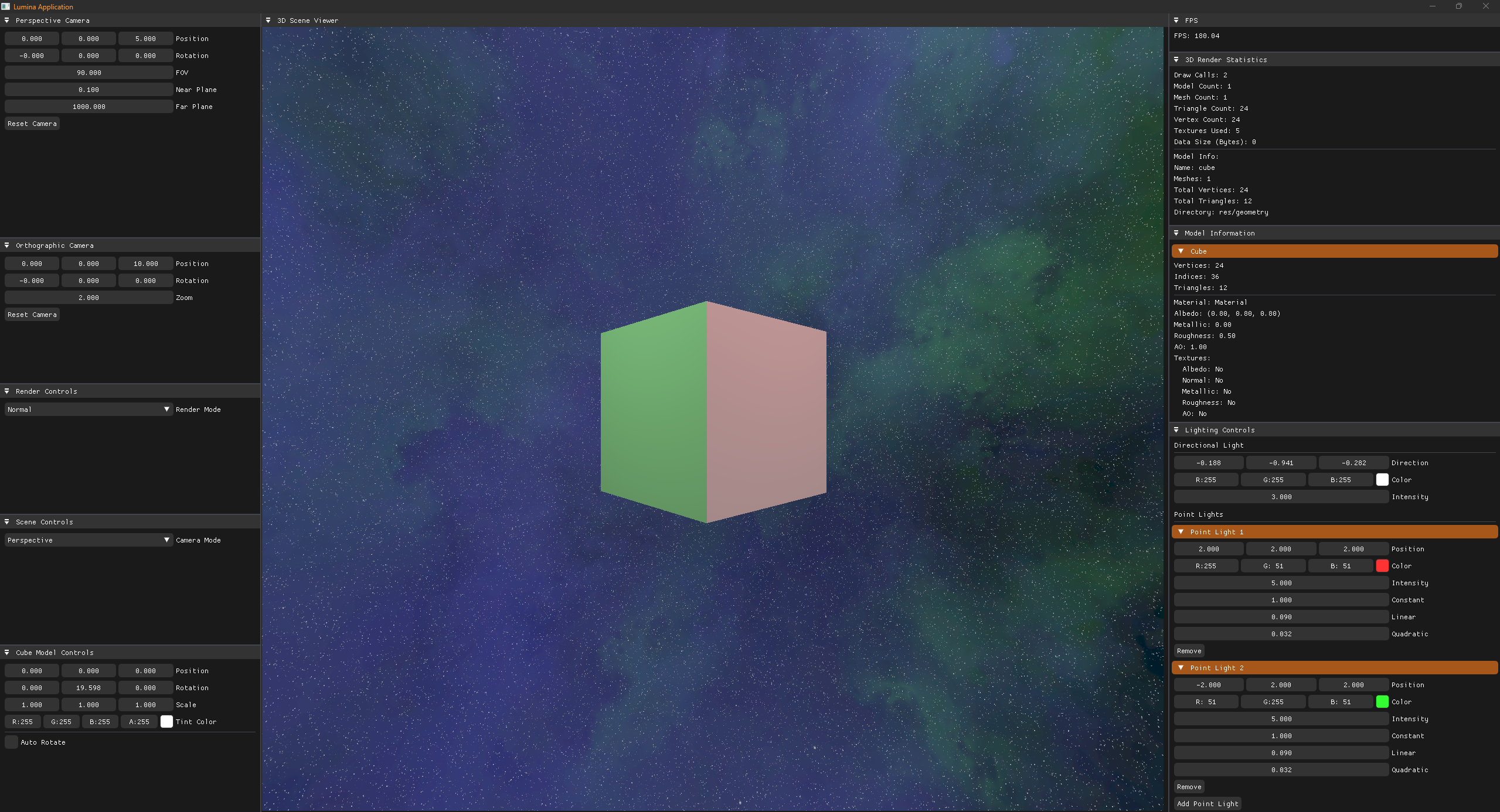
// 3D model rendering with lighting
Renderer3D::Begin(camera);

// Set up directional lighting
DirectionalLight sunLight;
sunLight.Direction = {-0.3f, -1.0f, -0.2f};
sunLight.Color = {1.0f, 0.95f, 0.8f};
sunLight.Intensity = 1.2f;
Renderer3D::SetDirectionalLight(sunLight);

// Add point lights
PointLight pointLight;
pointLight.Position = {5.0f, 3.0f, 2.0f};
pointLight.Color = {0.8f, 0.4f, 1.0f};
pointLight.Intensity = 2.0f;
Renderer3D::AddPointLight(pointLight);

// Render 3D model
ModelAttributes attributes;
attributes.Transform = glm::translate(glm::mat4(1.0f), {0.0f, 0.0f, 0.0f});
attributes.Material.Albedo = {0.8f, 0.6f, 0.4f};
Renderer3D::Draw(model, attributes);

Renderer3D::End();
Performance Monitoring
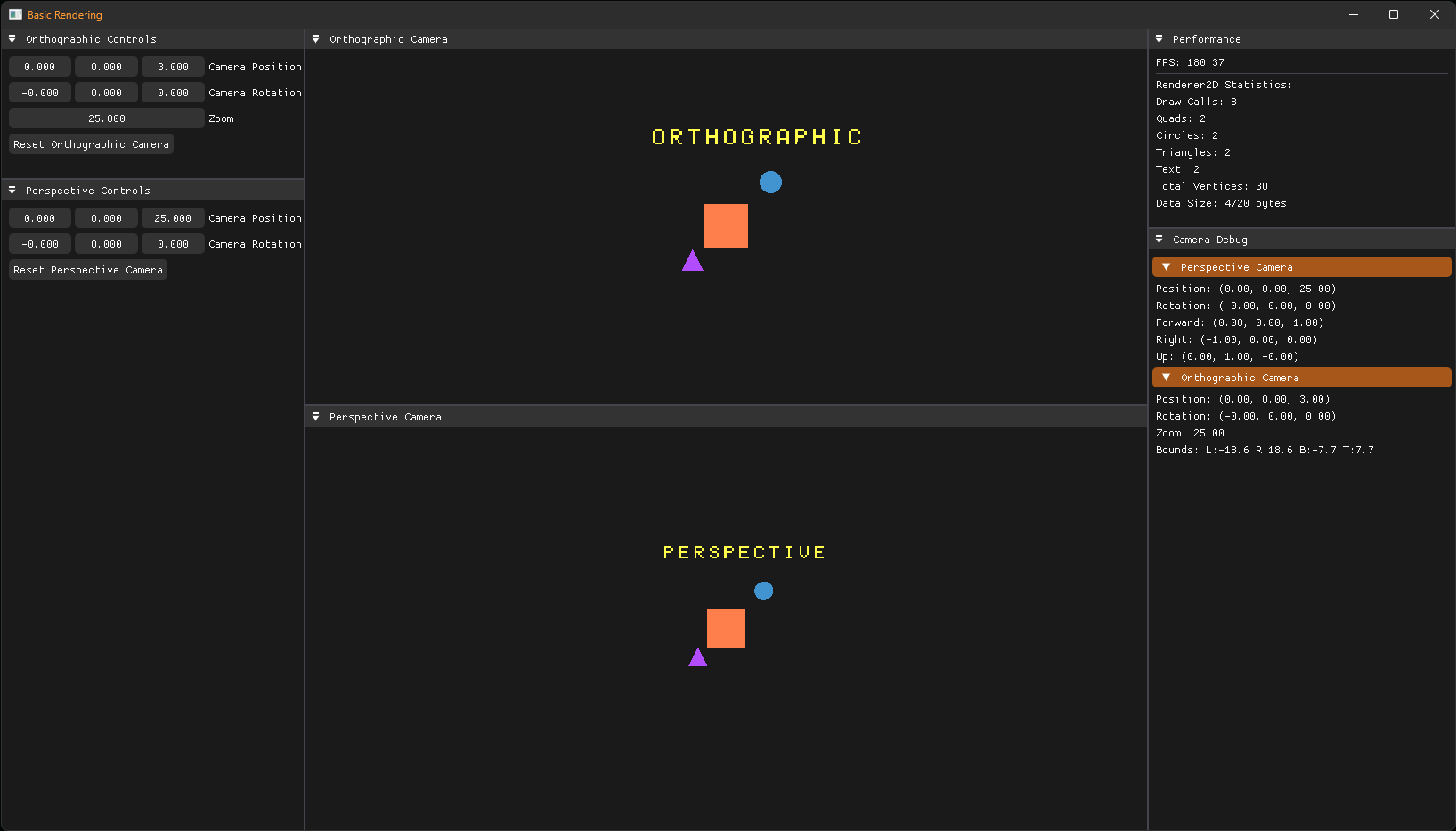
Built-in performance statistics help optimize your applications:
auto stats = Renderer2D::GetStats();
ImGui::Text("Draw Calls: %u", stats.DrawCalls);
ImGui::Text("Quads: %u", stats.QuadCount);
ImGui::Text("Circles: %u", stats.CircleCount);
ImGui::Text("Total Vertices: %u", stats.GetTotalVertexCount());
💡 Inspiration
- Walnut - Application framework foundation
- Hazel - Game engine architecture patterns
- Modern OpenGL practices - Efficient batch rendering and shader management
🔧 Technical Dependencies
Lumina is built using carefully selected, industry-standard libraries:
- ImGui – Immediate mode GUI for debug interfaces and tools
- ImGuiFileDialog – File dialog extension for asset loading
- GLFW – Cross-platform window management and input handling
- Glad – OpenGL function loader and extension management
- GLM – Header-only C++ mathematics library for graphics
- Box2D – 2D physics simulation engine
- spdlog – Fast, header-only logging library
🚀 Getting Started
Setup Instructions
- Clone the repository with all dependencies:
git clone --recursive https://github.com/stephen-os/Lumina.git - Navigate to the
scriptsfolder and run the appropriate setup script for your platform - Open the generated solution file in Visual Studio 2017 or later
- Build and run the project
Creating Your First Application
#include "Lumina/Lumina.h"

class MyLayer : public Lumina::Layer
{
public:
    virtual void OnAttach() override
    {
        m_Camera = CreateRef<OrthographicCamera>(16.0f, 9.0f);
        m_Camera->SetPosition({0.0f, 0.0f, 10.0f});
    }

    virtual void OnUpdate(float ts) override
    {
        Renderer2D::Begin(m_Camera);

        // Your rendering code here
        Renderer2D::SetQuadPosition({0.0f, 0.0f, 0.0f});
        Renderer2D::SetQuadSize({2.0f, 2.0f});
        Renderer2D::SetQuadTintColor({1.0f, 0.5f, 0.2f, 1.0f});
        Renderer2D::DrawQuad();

        Renderer2D::End();
    }

private:
    Ref<OrthographicCamera> m_Camera;
};

class MyApplication : public Lumina::Application
{
public:
    MyApplication()
    {
        PushLayer(new MyLayer());
    }
};

Lumina::Application* Lumina::CreateApplication()
{
    return new MyApplication();
}
🎯 Use Cases
Lumina is perfect for:
- Game prototypes requiring 2D/3D graphics and physics
- Graphics programming education and experimentation
- Data visualization applications with custom rendering needs
- Real-time graphics demos and technical showcases
- Tool development for graphics-related workflows
The framework's modular design makes it easy to focus on your application logic while providing powerful, optimized rendering capabilities out of the box.